Moving an office in Greenwich is no small undertaking, and the part that causes the most anxiety for most businesses is the tech. Computers, monitors, servers, printers, and cabling represent a significant financial investment, and getting them from one address to another without damage requires more than just a spare box and some newspaper. At Man and Van Greenwich, we handle office relocations across SE10 and the surrounding areas every week, and we know exactly what it takes to move IT equipment safely and efficiently.
Key Takeaways
- Always back up your data to cloud storage or an external hard drive before disconnecting any office electronics.
- Use anti-static bubble wrap and purpose-built electronics boxes to protect computers, monitors, and peripherals during transit.
- Label every cable and photograph your setup before disassembly so your team can get back up and running quickly at the new location.
Why Packing Office Electronics Properly Matters
Office IT equipment is not just expensive to replace; it holds the data and systems that keep your business running. A cracked monitor or a hard drive damaged in transit can mean hours of downtime, and in a competitive area like Greenwich, that is time your business cannot afford to lose. Whether you are relocating from a creative agency near Cutty Sark or a professional services firm close to Greenwich town centre, the principles of safe electronics packing remain the same: protect, organise, and label everything.
Taking shortcuts with packing materials or rushing the preparation stage is where things go wrong. Our teams at Man and Van Greenwich have seen the consequences of poorly packed tech, and it is always more costly to put right than it would have been to do correctly from the start.
Before You Start: Back Up Your Data
The single most important step you can take before packing any office IT equipment is to back up your data. This should happen before a single cable is unplugged. Use cloud-based storage services such as Google Drive or Microsoft OneDrive, and consider creating a secondary backup on an external hard drive as well.
Store that drive separately from the device it came from, so that if anything happens to the equipment in transit, your files are secure and accessible. This step applies to desktops, laptops, servers, and even networked printers that may store scanned documents internally. Once your data is protected, you can approach the physical move with far greater confidence.
Gathering the Right Packing Supplies
Having the correct materials to hand before you begin will save a great deal of time and reduce the risk of damage. For packing office IT equipment and electronics, you will need sturdy double-walled cardboard boxes, anti-static bubble wrap, standard bubble wrap, packing paper, packing peanuts or foam inserts, strong packing tape, cable ties, and resealable zip-lock bags for small components and screws.
Anti-static bubble wrap is particularly important for internal components such as graphics cards, RAM, or hard drives that may be removed for transport. Standard static can cause irreparable damage to sensitive circuitry, so this is not an area to cut corners. If you still have the original manufacturer’s packaging for your monitors or computers, use it; it is designed specifically to protect those items.
How to Pack Computers and Monitors
When it comes to an office move, computers and monitors are among the most valuable and delicate pieces of equipment you will handle. These devices not only represent a significant financial investment but also store essential business data and daily working systems. Packing them correctly requires a careful, methodical approach to prevent physical damage, minimise downtime, and ensure everything can be reconnected quickly and efficiently at your new premises.
Desktop Computers and Towers
Shut the computer down fully before doing anything else. Disconnect all cables from the back, coiling each one neatly and securing it with a cable tie. Label each cable clearly, either with a small sticker or a piece of masking tape with a written description. Taking a photograph of the cable setup at the back of the machine before you disconnect anything is a practical habit that will speed up reassembly considerably.
Wrap the tower in anti-static bubble wrap and place it upright in a sturdy box. Fill any gaps with packing peanuts or crumpled packing paper so the unit cannot shift during transport. Seal the box firmly with packing tape and mark it clearly as ‘Fragile’ and ‘This Way Up.’
Monitors and Screens
Monitors are among the most fragile items in any office. If you have the original box, use it. If not, place a layer of cardboard directly over the screen before wrapping the entire monitor in bubble wrap. Do not allow bubble wrap to rest directly against LCD screens, as it can leave impressions. Pack the monitor upright rather than flat, and ensure the box is the correct size so the screen cannot move internally.
Packing Laptops, Tablets, and Smaller Devices
Laptops should travel in their dedicated carry cases or laptop bags whenever possible. If a bag is not available, wrap the laptop in a layer of packing paper followed by bubble wrap, and pack it in a snug-fitting box with padding on all sides. Tablets and smaller devices should be treated with the same care.
Remove any charging cables, dongles, or accessories and pack them separately in a labelled zip-lock bag, then place that bag in the same box as the device it belongs to. This keeps everything together and avoids the frustration of hunting through boxes to find the right charger when you arrive at your new premises.
Packing Printers, Scanners, and Office Peripherals
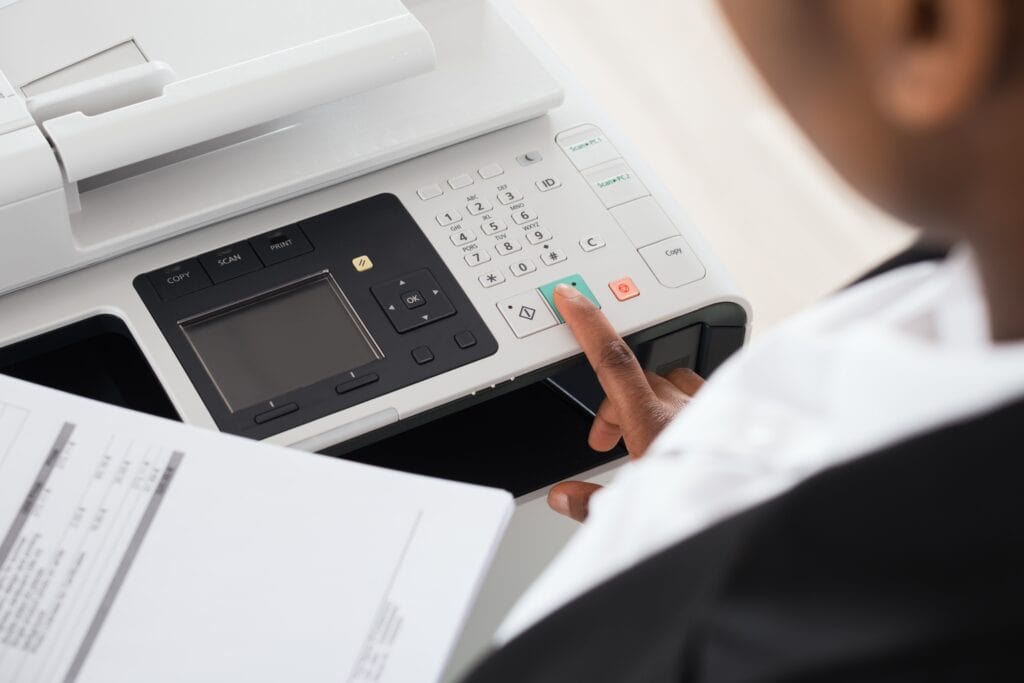
Printers require specific preparation before packing. Remove ink or toner cartridges and seal them individually in zip-lock bags to prevent leaks during transit. Place a piece of masking tape over the cartridge contact points. Lock down any movable parts, such as scanner beds or paper trays, with tape or cable ties if the manufacturer provides that option.
Wrap printers and scanners in moving blankets or thick bubble wrap and pack them in snug-fitting boxes. Keyboards, mice, desk phones, and Wi-Fi routers can be wrapped in packing paper and grouped together in a medium-sized box with adequate padding between each item.
Labelling and Organisation: The Step That Saves Time
A clear labelling system is essential for any office move, but it becomes especially valuable when dealing with multiple pieces of IT equipment that all look similar once boxed. Label every box with its contents, the room or desk it belongs to, and any handling instructions. Use a colour-coded system if you are moving a larger team across multiple departments.
This is something our Man and Van Greenwich team actively encourages clients to do before moving day. The more organised the boxes are on the way out, the faster your team can get set up and working again at the new location.
Managing Cables and Server Equipment
Cables are one of the most overlooked parts of an office move. Tangled, unlabelled wiring can add hours to your setup time at the other end. Before disconnecting anything, photograph every workstation setup and server rack. Label each cable at both ends, bundle them neatly with cable ties, and pack them in clearly labelled bags or boxes.
If your office has a dedicated server room, we strongly recommend involving your IT manager or an external IT contractor in the disconnection and reconnection process. Servers should be powered down using the correct shutdown procedure, and any rack-mounted equipment should be removed and packed individually with appropriate padding.
How Man and Van Greenwich Can Help
As a Greenwich-based moving company, we understand the specific demands of relocating businesses in SE10, SE3, SE7, and the wider south-east London area. From small creative studios to multi-room professional offices, our experienced teams arrive prepared with the right equipment and the care needed to transport your IT gear safely.
We offer flexible scheduling to minimise disruption to your working day, and our local knowledge means we know the quickest and most practical routes around Greenwich, Deptford, Blackheath, and Charlton. If you need support with packing office IT equipment and electronics, our team can assist with wrapping, boxing, and organising your tech ahead of moving day. Get in touch for a no-obligation quote.
Conclusion
Packing office IT equipment and electronics properly is one of the most detail-focused parts of any business relocation, but it does not have to be stressful. With the right materials, a methodical approach, and clear labelling from start to finish, your tech can arrive at its new home in exactly the condition it left. For businesses across Greenwich and south-east London, Man and Van Greenwich is here to make that happen, bringing local knowledge, a professional attitude, and genuine care to every office move we carry out.
Frequently Asked Questions
How far in advance should I start packing office IT equipment for a move in Greenwich?
We recommend starting the preparation process at least one to two weeks before moving day. This gives you time to back up data, source the correct packing materials, photograph all setups, and work through each piece of equipment methodically without rushing. For larger offices in Greenwich with multiple workstations or server infrastructure, starting even earlier is advisable.
Do I need specialist boxes to pack my computer monitors?
Purpose-built monitor boxes offer the best protection, but they are not always available. If you do not have the original packaging, use a strong double-walled box slightly larger than the monitor, line it with foam or bubble wrap, and place cardboard directly over the screen before wrapping. Pack the monitor upright and ensure it cannot move inside the box during transit.
Can Man and Van Greenwich help with packing electronics, or just transporting them?
We offer packing assistance as part of our service for office relocations across Greenwich and the surrounding areas. Our team can help with wrapping and boxing IT equipment, organising cables, and labelling boxes so that your move runs as smoothly as possible. Let us know what you need when you get in touch, and we will tailor our service accordingly.
Is it safe to transport a desktop computer on its side in a van?
Desktop towers should always be transported upright where possible. Lying them on their side can place pressure on internal components and increase the risk of damage if the van goes over uneven road surfaces, which is not uncommon on some of the older roads around Greenwich town centre. If upright transport is not possible, ensure the unit is very well cushioned on all sides.
What should I do with old or unwanted electronics before an office move in Greenwich?
An office relocation is a good opportunity to declutter and responsibly dispose of outdated equipment. Greenwich residents and businesses can use the Thamesmead Reuse and Recycling Centre for electronic waste disposal. Data should be securely wiped from any device before disposal or donation to ensure sensitive business information is fully protected.